
Mods
Mods let you replace Roblox's built-in files (textures, sounds, fonts, icons) with custom ones. They work by overlaying files onto Roblox's Contents/Resources/ directory.
AppleBlox automatically backs up the original files before applying mods, so you can always restore to a clean state.
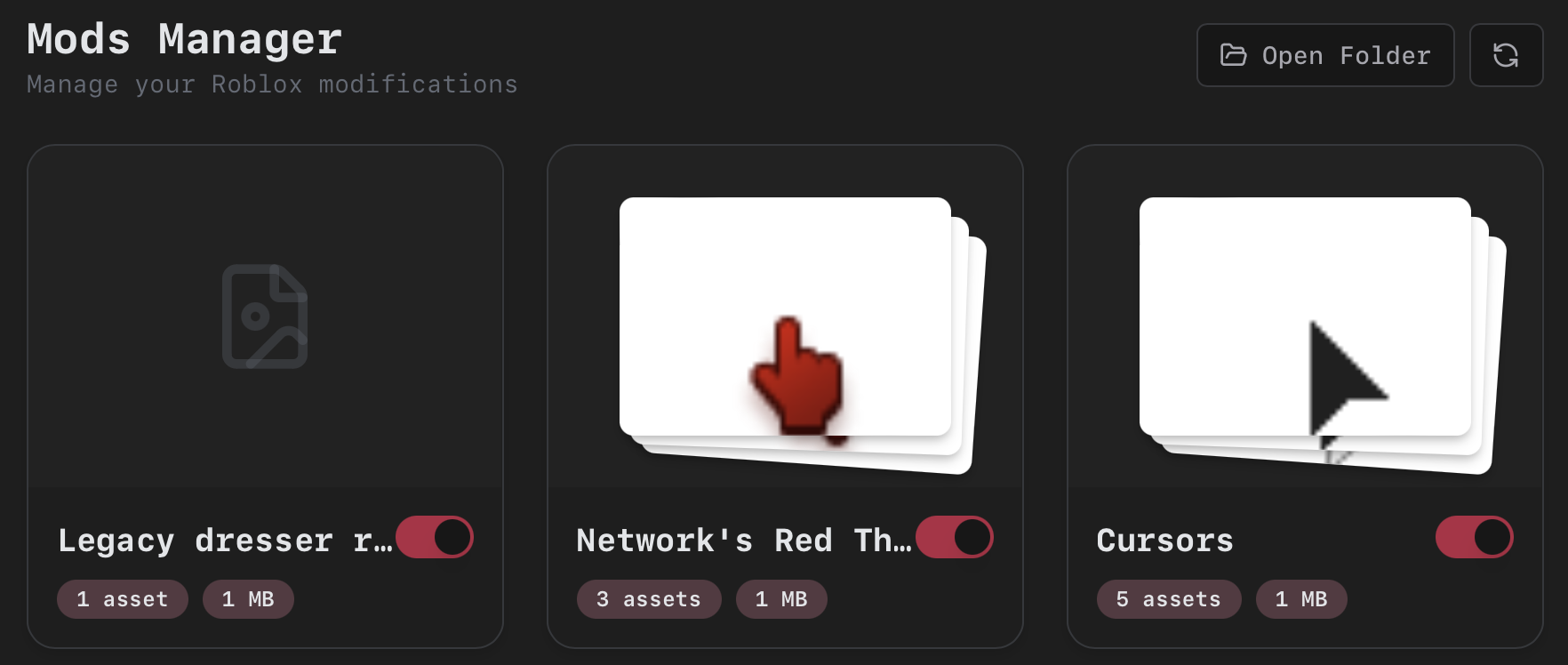
Installing Mods
- Download and extract the mod file (
.zipor.7z). - If the extraction creates a
contentfolder or similar directly, place it inside another folder named after the mod. - Open the Mods page in AppleBlox and click Open Folder, or navigate to
~/Library/Application Support/AppleBlox/mods/in Finder. - Drop your mod folder inside.
- Click the refresh button in AppleBlox (or restart the app).
- Toggle the mod on with the switch on its card.
- Make sure the master Enable Mods toggle is on.
Mods are applied each time Roblox launches.
Where to find mods:
- Gamebanana (Roblox) - Large mod repository.
- The AppleBlox Discord server.
- The Bloxstrap wiki - Same mod format, works with AppleBlox.
Creating Your Own Mod
A mod is a folder that mirrors the structure inside Roblox.app/Contents/Resources/. Any file you place in the mod replaces the matching file in Roblox.
Example: A "Cursors" mod that replaces cursor images and a sound:
Cursors/
  content/
    sounds/
      ouch.ogg
    textures/
      ArrowCursor.png
  Cursors/
    KeyboardMouse/
      ArrowCursor.png
      ArrowFarCursor.png
      IBeamCursor.png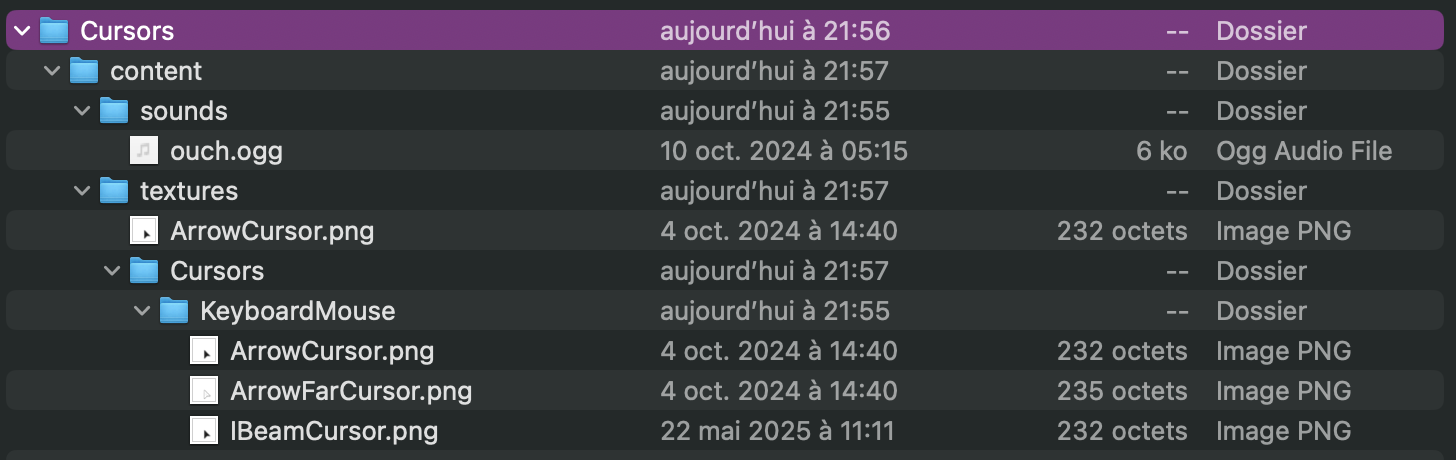
Step by Step
- Right-click
Roblox.appin your Applications folder and choose Show Package Contents. - Navigate to
Contents/Resources/and find the file you want to replace. Note its path. - In your mods folder (
~/Library/Application Support/AppleBlox/mods/), create a new folder with any name (e.g.,Cursors). - Inside your mod folder, recreate the exact same directory structure.
- Place your replacement file at the matching path with the exact same filename and extension.
- Enable it in AppleBlox.
Tips
- Replacement files must match the original filename and extension exactly.
- You can replace images (PNG), sounds, fonts, and other resource files.
- Mods are merged alphabetically. Later mods overwrite earlier ones if they touch the same files.
- Disabling a mod appends
.disabledto the folder name. AppleBlox does this automatically when you toggle the switch.
Built-in Mods
AppleBlox ships with built-in mods you can configure directly from the Mods page settings:
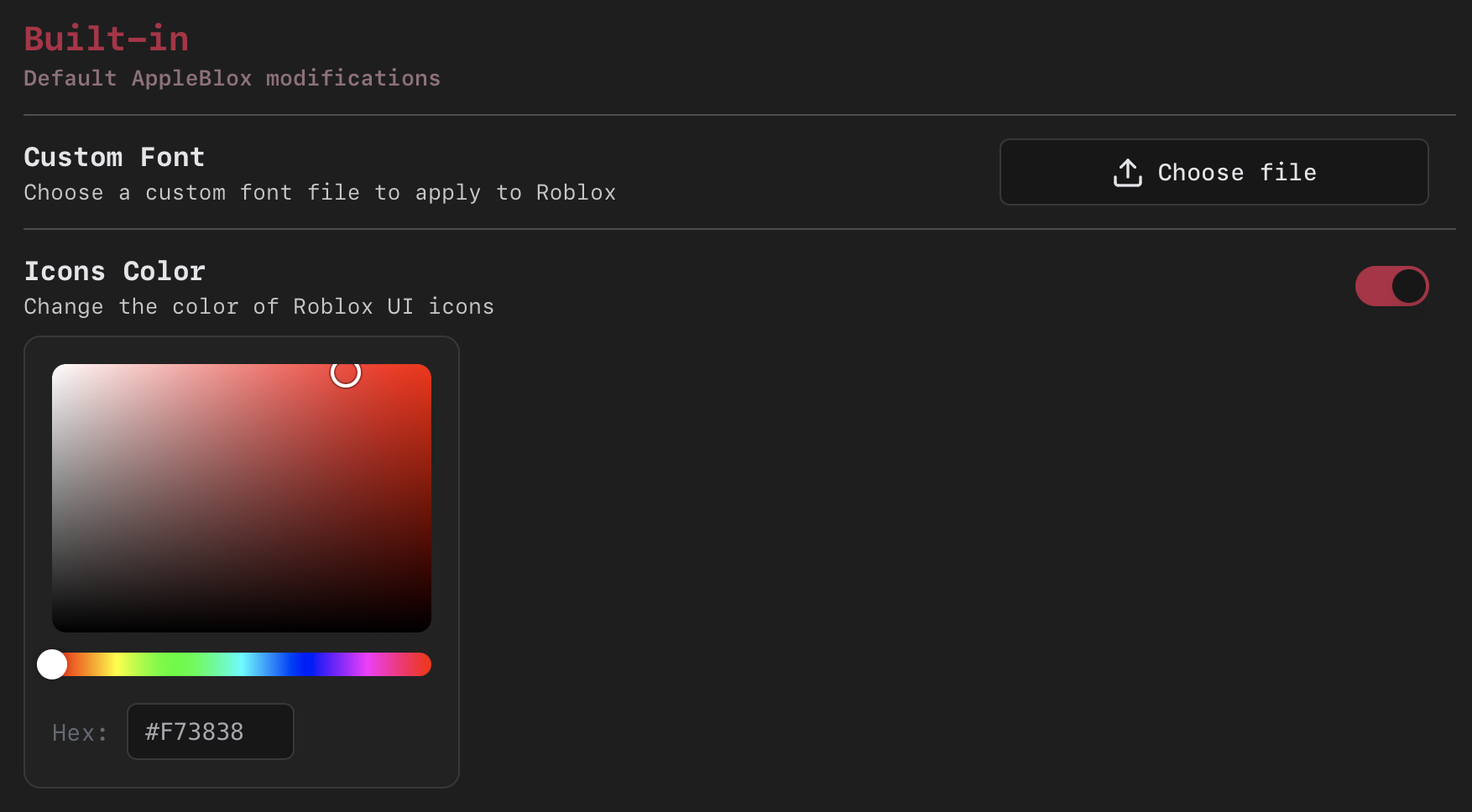
- Custom Font - Upload a
.ttf,.otf, or.ttcfont file to replace all Roblox UI fonts. - Icons Color - Change the color of Roblox's UI icons using a visual HSV color picker. Generates recolored icon font files and caches them for fast reuse.
- Legacy Resolution - Lowers the rendering resolution for compatibility with older mods. Note: may break voice chat.